
Check in with yourself
Choose a level for each tracker: your mood, your sleep quality, a little reading…
A LITTLE CHECK-IN WITH YOURSELF
Pixel Journal is an iPhone app for tracking your mood, sleep and habits. Turn your day into colorful pixels in just a few seconds.
Available for iPhone

Pick your mood to color today’s pixel.
Interactive demo · sample data
01 / HOW IT WORKS
No need to find the words. Pick what feels like your day and let your pixels tell the story.
Choose a level for each tracker: your mood, your sleep quality, a little reading…
Every answer becomes a pixel. See your recent days and fill in past dates from the calendar.
Watch your year take shape in color and revisit the little moments that make up your days.
02 / 17 WAYS TO CHECK IN
Pick your trackers from the catalog. Each has its own levels, colors and little mascot.
 Mood
Mood Sleep duration
 Sleep quality
 Anxiety
 Allergies
 Dreams
 Video games
 Journaling
 Period
 Temperature
 Weather
 Reading
 Exercise
 Meditation
 Social life
 Time outdoors
 Digestion
03 / A LITTLE PERSPECTIVE
Night after night, day after day, discover what keeps showing up in your life.
Mood, sleep, reading… Move between trackers, pick the level that feels right and see your recent days in one place.

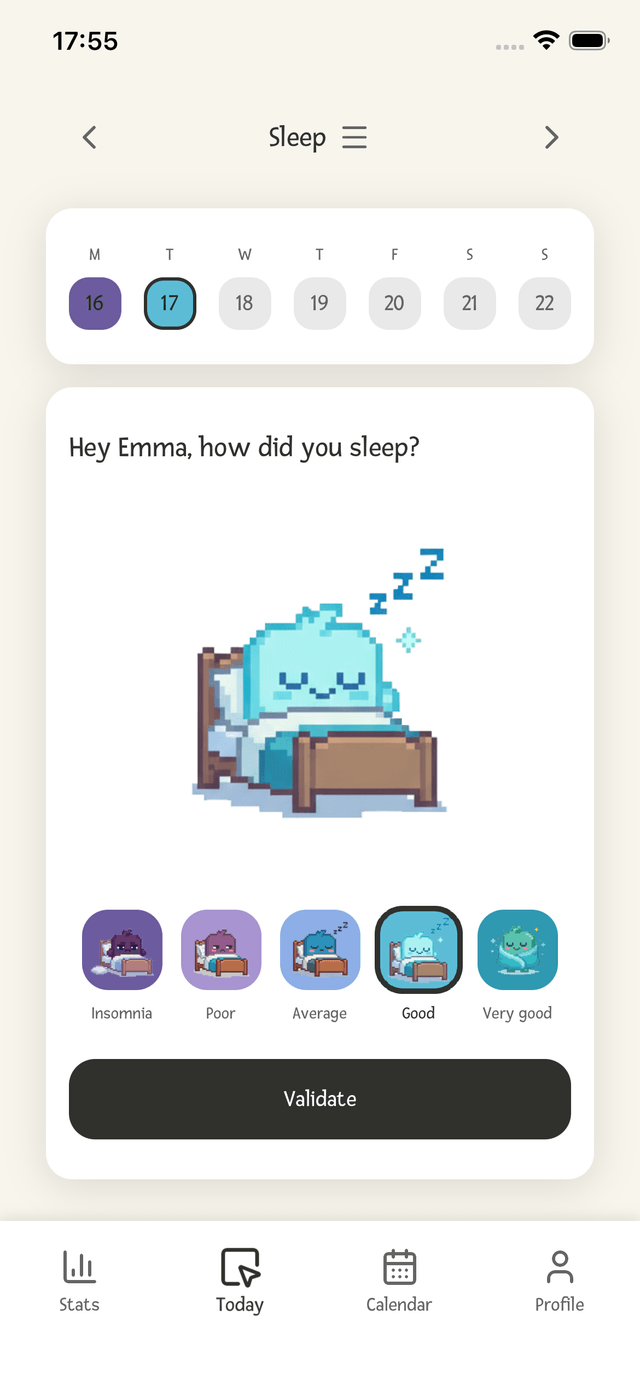
30-day trends, distribution, stability, days of the week and correlations between trackers: discover the patterns taking shape in your life.

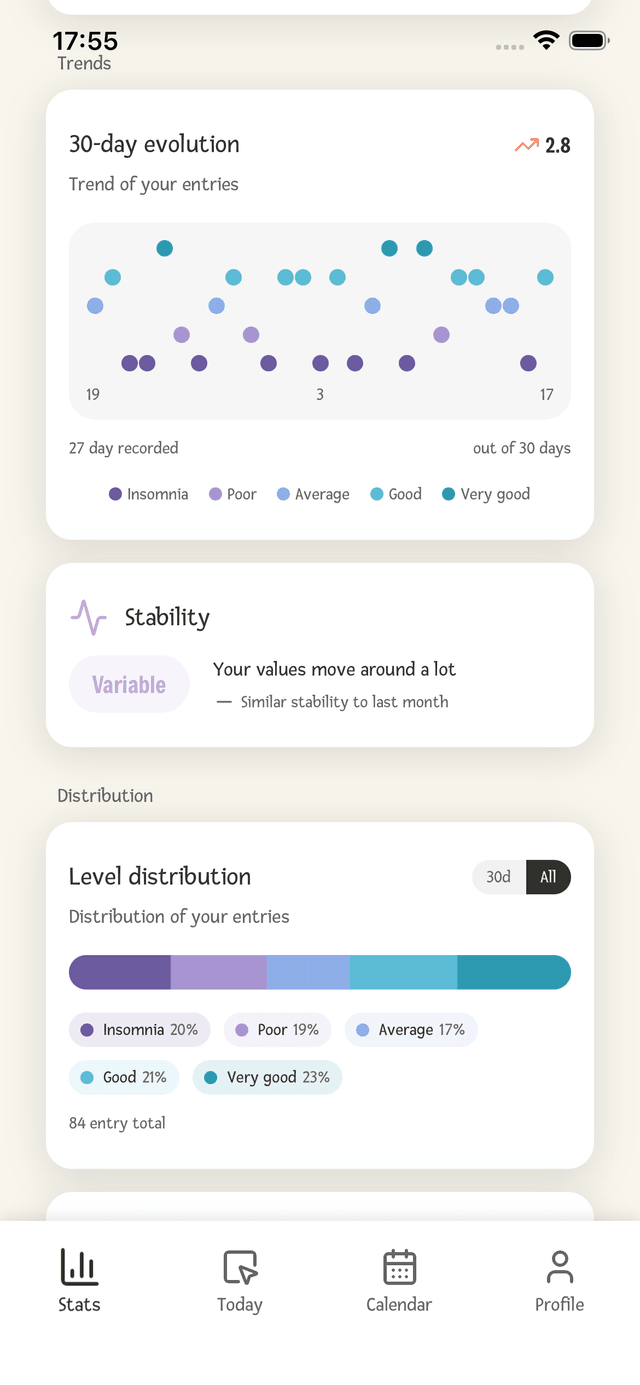
App screenshots in English · Statistics available with Premium.
04 / AT YOUR OWN PACE
A simple routine to return to, even when every day is different.

Choose the time for your daily reminder and save a little moment for yourself.

Missed yesterday? Fill it in before today ends to preserve a streak that can still be recovered.

Fill in, edit or delete past answers directly from the calendar.

See each tracker’s recent history in a pixel calendar, week after week.

A few questions at the start help suggest trackers that match your interests.

French, English, Spanish or Simplified Chinese: choose in the app or follow your iPhone’s language.
MADE FOR YOUR IPHONE
Keep your days on your Home Screen and save a copy of your history.
Widgets, iCloud sync and CSV export are available with Premium.
Log your trackers from the Home Screen. Display your calendar and streak, with a fixed or rotating tracker.
Enable iCloud to sync your data and restore your journal after reinstalling or switching iPhones.
Export your answers to keep a copy or explore them in a spreadsheet.
Pixel Journal is free to download and includes a free version to start tracking. Premium unlocks all trackers, advanced statistics, iOS widgets, iCloud sync and CSV export. Prices are shown in the app and on the App Store.
Pixel Journal is available on iPhone in English, French, Spanish and Simplified Chinese. You can choose a language in the app or use your iPhone’s language.
Choose the trackers that matter to you, then log your first day. A few seconds is all it takes to add your first pixels. You can adjust your trackers over time.
You can fill in and edit past days in the calendar. To preserve a streak interrupted by missing yesterday, fill in yesterday before today ends. Catching up on older days does not restore the streak.
Pixel Journal is a visual tracking journal. The Journaling tracker records whether you wrote in your personal journal; it does not include a free-text editor.
You enter your sleep quality and perceived duration yourself, each on 5 levels. Duration ranges from “Very short” to “Very long”; it is not an automatic measurement in hours.
Enable iCloud sync in the app before switching iPhones. You can then restore synced data using the same iCloud account. CSV export also lets you keep a copy of your answers.
Take a moment for yourself. The rest takes shape one day at a time.
Download on the App Store